You can reserve one of our specialized spaces for recording, editing, and digitizing audio and video
View Our Spaces

Editing Suite #1: (Berry 288)
Noise Level: silent
The Multimedia Rooms are bookable for editing projects (featuring a Mac mini M4 Pro w/BenQ 32” monitor) as well as digitization and consumption of media, including VHS tapes, vinyl records, cassette tapes, CDs, DVDs, and more. A host of software not regularly available elsewhere on campus includes DaVinci Resolve Studio, Ableton LIVE, Sibelius, and Final Draft.
Booking times: Mon-Fri 10AM-5PM. Walk-ins also welcome.

Editing Suite #2: (Berry 289)
Noise Level: silent
The Multimedia Rooms are bookable for editing projects (featuring a Mac mini M4 Pro w/BenQ 32” monitor) as well as digitization and consumption of media, including VHS tapes, vinyl records, cassette tapes, CDs, DVDs, and more. A host of software not regularly available elsewhere on campus includes DaVinci Resolve Studio, Ableton LIVE, Sibelius, and Final Draft.
Booking times: Mo-Fri 10AM-5PM. Walk-ins also welcome.
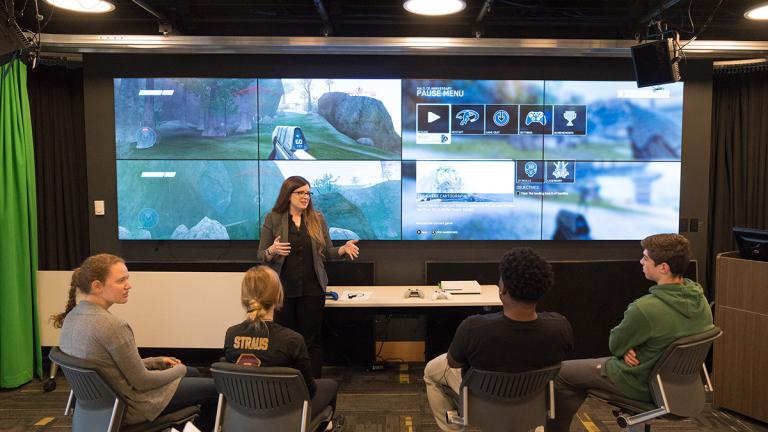
Innovation Studio
The Innovation Studio is a multipurpose space, configurable for teaching, presentations, video recording, or small events. It features tablet desk seating for 20 and standard seating for an additional 12. It also has a video wall of 8 screens, and accepts attached laptops and wireless mobile devices. A Blu-ray DVD player is available at the podium, as is a podium microphone. For larger events, the Innovation Studio can be opened up to include JMC East Side Lab, with total seating of approximately 60-70.
Media production space, green screen, teleprompter, classroom capabilities
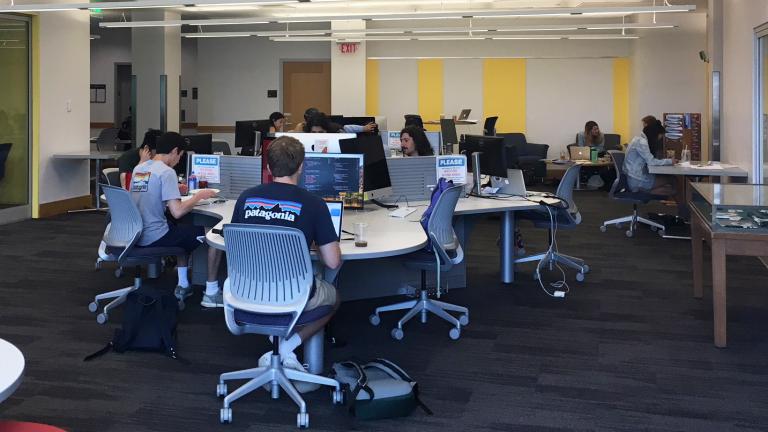
Media Workstations
Edit multimedia projects, such as audio video, images and graphics, as well as digitize media with flatbed scanners. Browse the software available through Dartmouth and Dartmouth Libraries
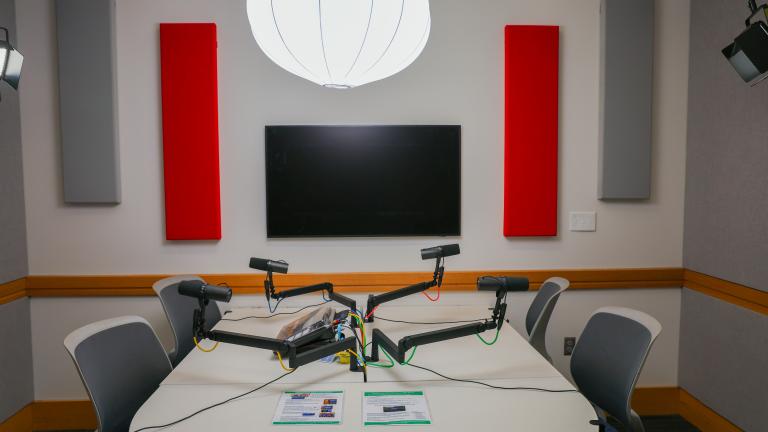
Podcast Studio
The JMC Podcast Studio offers a quiet environment with insulated walls for professional-quality sound production. The space is equipped with four Shure SM7B microphones and boom arms, Audio Technica headphones, and a RØDECaster PRO II audio production unit and is designed to support interviews, podcasts, and voiceovers.
Audio production, including interviews, podcasts, and voice-overs.

Virtual AV Lab
ITC and the JMC team developed an easy-to-use environment with the training and equipment to produce videos or record lectures. The lab consists of multiple cameras and a green screen. Anyone in the Dartmouth community can use it to create a variety of media, including high-quality instructional videos, screencasts, annotated media, and podcasting. We are at the Baker-Barry Library, next to the Jones Media Center. The studio is self-service.
Before using our studio, please arrange training in advance.
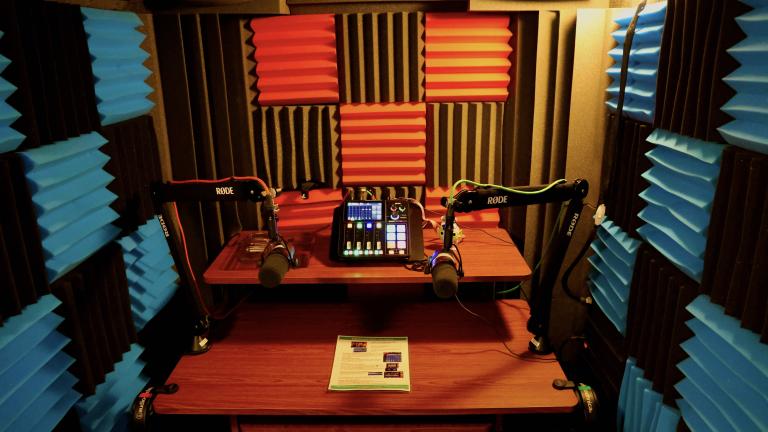
Whisper Room
The Whisper Room is a sound isolation booth designed for audio recording. The room accommodates 1-2 people comfortably.